Sim Manager message and not receive/send SMS messages???

Hello again.
I must say FIZZ is a great option for money can buy. Data connectivity is great even in 4G (+) .
Also voice call is absolutely good.
So, here is my "problem" :
The inability to receive and send SMS messages via fizz.
When I go to the Sim Manager page on my Samsung A35, I get the message about updating the SIM cards, as in the picture.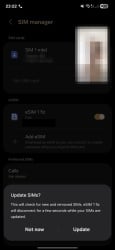
The question is, is it safe to update as advised and thus get the ability to send SMS messages or something else? From what I understand, I can see that the SMS center is correctly set up for the fizz network (My SMSC number of Fizz is set to +15144240053).
What do I need to do to enable the option to send and receive SMS messages on the fizz network?
I tried to find the same problem in this forum as well as on the support page but it seems that either I am searching badly or there is really no explanation for this?
Answers
-
I can't make out the text in the picture you attached, but did you make sure APN settings are correct before trying to send a text message?
0 -
Here is much bigger picture of text.
APN settings I suppose are good because I have internet and already use it.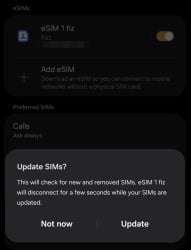 0
0 -
Hello janeku ,
Sorry to hear about the issue.
If you APN settings are as the ones found here : https://fizz.ca/en/faq/what-are-fizz-network-settings-apn be sure that you also have the correct SMSC number set for your phone which is : 1-514-424-0053
Verification on Android: Applications → Touch the Messaging icon → Context Menu (the three points at the top of the screen) → Settings → More Settings → Text Messages
More details can be found here also : https://fizz.ca/en/faq/i-cant-send-or-receive-text-messages
Save the changes afterwards and test the service.
If the issue persists, I invite you to reset your phone`s network settings - restart your phone and test if the services work once again.
Reach our customer service on Live chat if you need further help.
Thank you for your understanding.
Have a good one,
Raul, Community Moderator0

