Hi everyone

Answers
-
Go to
https://zone.fizz.ca/dce/customer-ui-prod/loyalty
Click on My Crew and then Manage my Fizz friends.
You can refer to friends by their Fizz phone number or their email address that they have registered with Fizz.
You can also add yourself as a friend if you are after the Friend badge.
0 -
You can add yourself to get the points.
0 -
Hello! Welcome to the Fizz community! Have you been able to add friends?
0 -
Welcome! Enjoy Fizz!
0 -
Welcome to fizz and the commumnity!
0 -
Welcome to fizz and the community!
0 -
Hi @Ikobob
You don't really need to register friends to participe here. Except the one to get the Badge Amigos 1st friend. And other Fizzers already noticed that you can register yourself as a friend.
So get your badge and be welcome in the Fizz community.
PS_1 You don't need a friend also to get referral prime. Publish your referral code once daily in the english section of the forum and in the French one and may-be a pure stranger will use it when buying his first plan and you will get it. Publish it there :
1. https://forum.fizz.ca/en/discussion/2671561/referral-codes-share-them-here-and-only-here#latest
2. https://forum.fizz.ca/fr/discussion/2671562/codes-de-reference-partagez-les-ici-et-seulement-ici#latest
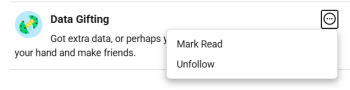
PS_2 You neither need a Fizz friend to give or receive datas. You can share it with Fizzer you don't know. Just ask data by publishing in the Data gift Categorie (Partage de données en français) Or answer to a post offering data in the same Category. You can see some offers on the Activity Feed on the right side of this page. To be sure to follow it, you can select that categorie (and others if you want) and active the following function.
 0
0